Why Your Video Call Stutters When Someone Else Downloads
The meeting is going fine. Then someone in the next room starts a large download, and the face on your screen freezes mid-sentence with an expression you wil...

The meeting is going fine. Then someone in the next room starts a large download, and the face on your screen freezes mid-sentence with an expression you will never get back. Nothing in your house has broken. Nobody touched the router. Yet the call degrades in a way that feels almost personal.
The usual explanation is that your internet connection is too slow. That is rarely the whole story. More often, the bottleneck is the short, crowded hop between your laptop and the router, where every device competes for airtime. Your broadband line may be perfectly idle while the Wi-Fi is quietly having an argument.
This article is about that argument and the referee that can settle it. The referee is called Wi-Fi priority, or QoS, short for quality of service. The idea is simple: not all traffic needs to be treated equally. The implementation is where things get interesting, and occasionally frustrating.
The One-lane Road Outside Your Router
Picture the Wi-Fi channel as a single lane of road. Every device in the house shares it, and only one can speak at a time. A download is a convoy of large trucks. A video call is a small car that needs to keep moving at a steady pace. When the trucks take the lane, the car stops.
This is why a speed test can look healthy while your call falls apart. The test measures the road, not the traffic jam. Wi-Fi is a shared medium, so devices take turns, and a download that fills the queue makes everything else wait behind it.
The waiting is measured in milliseconds, but calls are unforgiving. Audio and video arrive as a continuous stream, and late packets are close to useless. A file download simply waits and resumes. A conversation cannot.
Air Time Is The Currency Nobody Budgets
Routers do not hand out bandwidth in the way a bill describes it. They hand out air time, the moments when a device is allowed to transmit. A device with a weak signal is the quiet guest at the table. To be heard, it occupies the channel for longer, at a lower rate, and everyone else waits.
That detail matters more than it sounds. One distant device, such as a phone at the far end of the garden, can consume a disproportionate share of the shared channel. Your call is not being starved by the download alone. It is being starved by the total time everything else spends talking.
This is where the simple picture of a pipe with a fixed width starts to break. The pipe analogy is useful for broadband. It is misleading for Wi-Fi, which behaves more like a room where only one person may speak at once.
What The Referee Actually Does
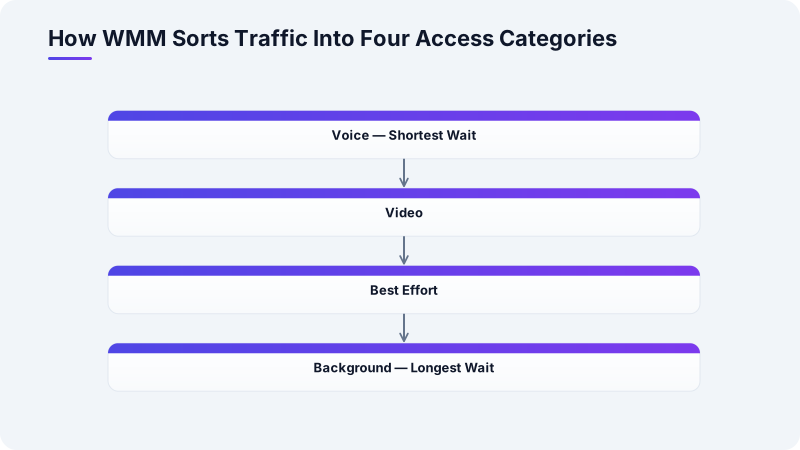
Wi-Fi priority is a set of rules that decides whose turn comes first. The most common standard is Wi-Fi Multimedia, known as WMM, which sorts traffic into four access categories: voice, video, best effort and background. Voice gets the shortest wait before it may transmit. Background traffic, such as a software update, waits longest.
WMM has been part of mainstream Wi-Fi since the 802.11n era, and it is usually switched on by default. It works by changing how long a device listens before speaking, not by reserving a fixed slice of bandwidth. Under light load the difference is invisible. Under heavy load it is the difference between a call and a slideshow.
The honest caveat is that WMM sorts traffic by category, not by device. It cannot know that your call matters more than someone else's. For that, you need rules that identify devices or applications, which is a separate feature on many routers.
The Settings With Unhelpful Names
Router menus rarely say "make my call better". They offer features with names like QoS, bandwidth control, media prioritisation or gaming mode. The useful ones let you name a device, such as your work laptop, or an application, and give it a higher share when the network is busy.
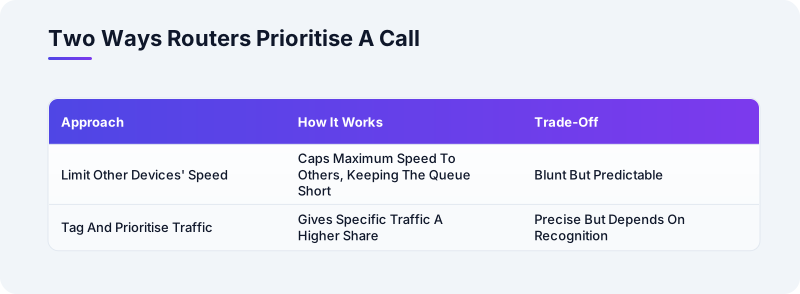
Two approaches are common. One limits the maximum speed given to other devices, which keeps the queue short and leaves room for the call. The other tags and prioritises specific traffic. The first is blunt but predictable. The second is precise but depends on the router recognising the traffic correctly.
Manufacturer documentation for these features is often thin, and behaviour varies between models and firmware versions. Treat any promised improvement as a hypothesis to test. Run a call with the feature on, then off, and compare. That is more reliable than any marketing claim on the box.
Where The Analogy Starts To Break
The referee only governs the hop between your devices and the router. Once traffic leaves your home, priority markings may be ignored entirely by your provider and by the wider internet. Your call can still stutter because of congestion far away, and no home setting will fix that.
There is also a limit to what priority can do. If the broadband line itself is saturated, the queue forms before the router can sort anything. Priority helps most when the local Wi-Fi is the crowded part, which is common in homes with many devices and a single access point.
The technology works. The question is whether anyone needs it. For a household of two on a modest connection, a wired connection for the work laptop often beats any amount of configuration. For a busy home, a sensible priority rule is worth the ten minutes it takes.
A Takeaway You Can Act On
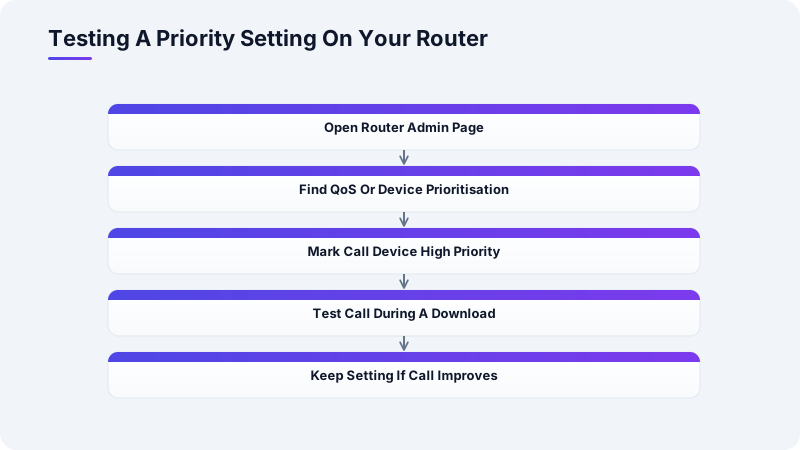
Before your next important call, open your router's administration page and look for a QoS or device prioritisation setting. Add the laptop or phone you use for calls as a high-priority device, or if your router offers only a bandwidth limit per device, cap the downloader at roughly half your plan's speed. Then run one test call while a large download is running, and keep the setting only if the call actually improves.